My home Kubernetes cluster is currently managed by ArgoCD, which polls a git repo for changes and applies them automatically.
Currently I put everything in there, including secrets like database passwords, API keys, etc. While it is great for version control and easy to manage, it would force me to keep everything private.
Recently I’ve been thinking about making the homelab repo public, so I needed a way to manage secrets separately.
For my purpose, something like storing secrets in another private git repo or using sealed-secrets would work, but I wanted to experiment with something more industry-standard.
After some research, I decided to go with HashiCorp Vault. It seems to be a popular choice by many companies, and it provides integration with Kubernetes through External Secrets Operator.
Environment
- Kubernetes cluster: v1.33.3+k3s1
- ArgoCD: 9.1.4
- Authentik: 2025.8.1
To be installed:
- HashiCorp Vault: 0.31.0
- External Secrets Operator: 1.2.0
Deploy HashiCorp Vault
As always, installation of helm charts are done through ArgoCD.
hashi-vault.yml
  1
  2
  3
  4
  5
  6
  7
  8
  9
 10
 11
 12
 13
 14
 15
 16
 17
 18
 19
 20
 21
 22
 23
 24
 25
 26
 27
 28
 29
 30
 31
 32
 33
 34
 35
 36
 37
 38
 39
 40
 41
 42
 43
 44
 45
 46
 47
 48
 49
 50
 51
 52
 53
 54
 55
 56
 57
 58
 59
 60
 61
 62
 63
 64
 65
 66
 67
 68
 69
 70
 71
 72
 73
 74
 75
 76
 77
 78
 79
 80
 81
 82
 83
 84
 85
 86
 87
 88
 89
 90
 91
 92
 93
 94
 95
 96
 97
 98
 99
100
101
102
103
104
105
106
107
108
109
110
111
112
113
114
115
116
117
118
|
apiVersion: argoproj.io/v1alpha1
kind: Application
metadata:
  name: hashi-vault
  namespace: argocd
  annotations:
    notifications.argoproj.io/subscribe.slack: production
spec:
  destination:
    namespace: hashi-vault
    server: https://kubernetes.default.svc
  project: default
  source:
    repoURL: https://helm.releases.hashicorp.com
    chart: vault
    targetRevision: 0.31.0
    helm:
      valuesObject:
        global:
          enabled: true
          tlsDisable: true

        injector:
          enabled: true

          leaderElector:
            enabled: true

          metrics:
            enabled: false

        server:
          resources:
            requests:
              memory: 256Mi
              cpu: 250m
            limits:
              memory: 512Mi
              cpu: 500m

          authDelegator:
            enabled: true

          extraSecretEnvironmentVars:
            - envName: VAULT_UNSEAL_KEY
              secretName: unseal
              secretKey: key

# added after initializing vault, for auto-unsealing
#           extraContainers:
#             - name: auto-unsealer
#               image: hashicorp/vault:1.20.4
#               command:
#                 - /bin/sh
#                 - -c
#                 - |
#                   while true; do
#                     sleep 10
#                     if vault status 2>&1 | grep -q "Sealed.*true"; then
#                       echo "Vault is sealed, attempting to unseal..."
#                       vault operator unseal $VAULT_UNSEAL_KEY || true
#                     fi
#                   done
#               env:
#                 - name: VAULT_ADDR
#                   value: "http://127.0.0.1:8200"
#                 - name: VAULT_UNSEAL_KEY
#                   valueFrom:
#                     secretKeyRef:
#                       name: unseal
#                       key: key

          ingress:
            enabled: true
            ingressClassName: "traefik"
            hosts:
              - host: secret.i.junyi.me
                paths: []
            tls:
              - secretName: junyi-me-production
                hosts:
                  - secret.i.junyi.me

          dataStorage:
            size: 10Gi
            mountPath: "/vault/data"
            storageClass: "csi-rbd-sc"

          ha:
            enabled: true
            replicas: 3

            raft:
              enabled: true
              setNodeId: true

            disruptionBudget:
              enabled: true

        ui:
          enabled: true

        csi:
          enabled: false

  syncPolicy:
    automated:
      prune: true
      selfHeal: true
    syncOptions:
      - CreateNamespace=true

  ignoreDifferences:
    - group: admissionregistration.k8s.io
      kind: MutatingWebhookConfiguration
      name: hashi-vault-agent-injector-cfg
      jsonPointers:
        - /webhooks/0/clientConfig/caBundle
|
For Vault, I decided to go with 3 replicas in HA mode using Raft storage backend. This would potentially be one of the backbone services in my homelab, so I wanted it to be resilient.
The extraContainers section (commented out) is there so that Vault can automatically unseal itself on restart. Otherwise I would have to manually unseal it every time the pods restart. There are other ways to do auto-unsealing, such as using cloud KMS services, but for my homelab this seemed sufficient.
The unseal key will be obtained after initializing Vault for the first time (below).
Putting the unseal key in a Kubernetes secret defies the purpose of using Vault in most cases, if the concern is security. I just wanted a place to store secrets separate from my git repo, so I decided to accept this risk for now.
Initialize Vault
After deploying Vault, the pods should be up and running. They are sealed by default, so they need to be initialized and unsealed.
1
2
3
4
|
k exec hashi-vault-0 -- vault operator init \
  -key-shares=1 \
  -key-threshold=1 \
  -format=json > vault-keys.json
|
This vault-keys.json file contains the unseal key and the initial root token. I stored it in a new private git repo for safekeeping.
Also, extract unseal key from it:
1
|
jq -r '.unseal_keys_hex[0]' vault-keys.json
|
and turn it into a secret for auto-unsealing:
unseal.yml
1
2
3
4
5
6
7
|
apiVersion: v1
kind: Secret
metadata:
  name: unseal
  namespace: hashi-vault
stringData:
  key: "<UNSEAL_KEY>"
|
Before enabling auto-unsealing, I also joined the other two vault replicas to form the cluster:
1
2
|
k exec hashi-vault-1 -- vault operator raft join http://hashi-vault-0.hashi-vault-internal:8200
k exec hashi-vault-2 -- vault operator raft join http://hashi-vault-0.hashi-vault-internal:8200
|
Then I added the extraContainers section in the Vault helm chart values and redeployed it with ArgoCD.
Log in to Vault
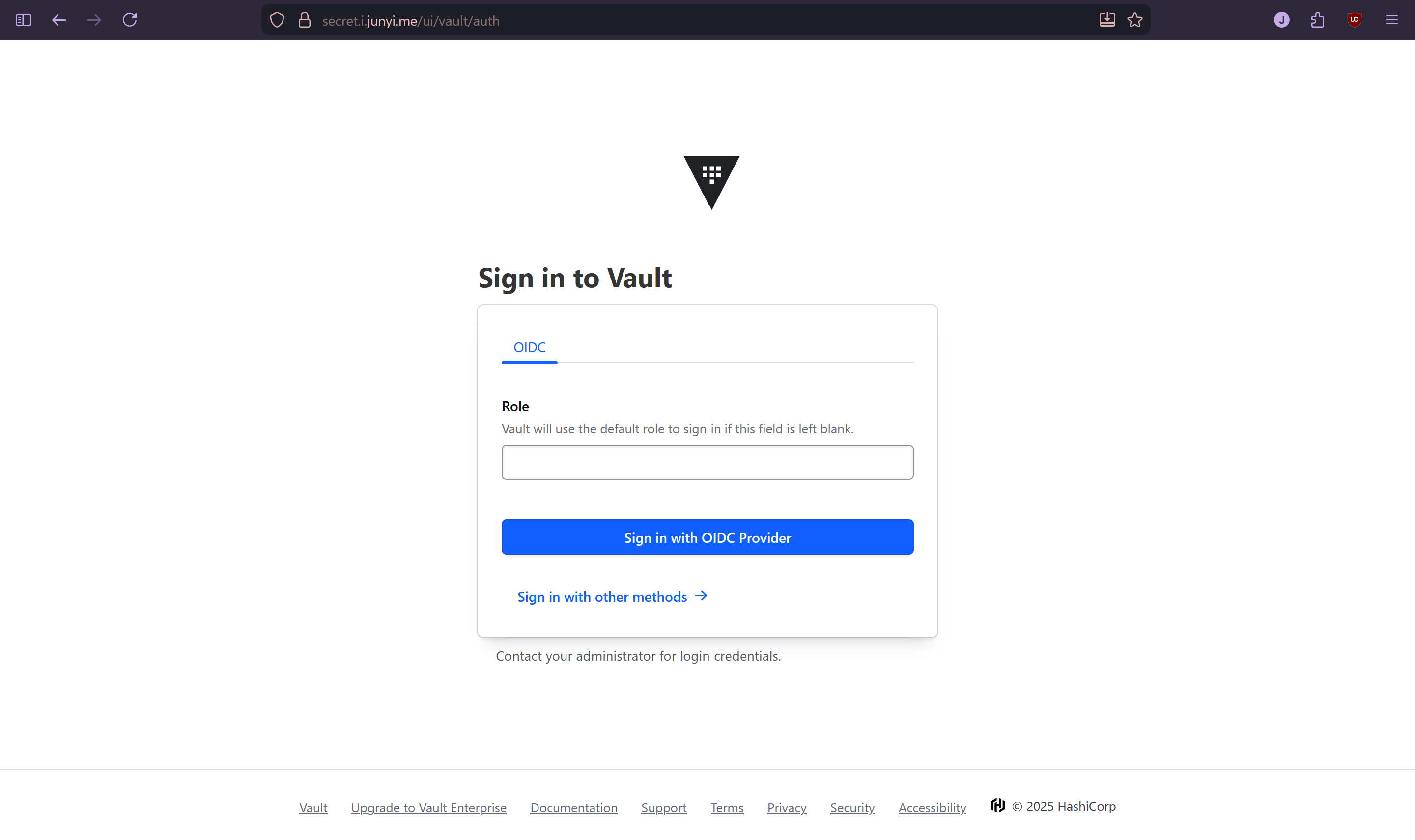
First, I wanted to take a look at the UI. It is available at https://secret.i.junyi.me, but I needed to configure a login method first. I didn’t want to use the root account all the time.
What I also didn’t want is to have another set of credentials to manage. So I decided to use OIDC with Authentik, which is already available at https://auth.junyi.me.
After setting up the Authentik application following the official guide, I figured doing everything in CLI through the vault pod would be the easiest.
 1
 2
 3
 4
 5
 6
 7
 8
 9
10
11
12
13
14
15
16
17
18
19
20
21
22
23
|
kubectl exec -ti hashi-vault-0 -- sh

CLIENT_ID="[CLIENT_ID]"
CLIENT_SECRET="[CLIENT_SECRET]"
ROOT_TOKEN="[ROOT_TOKEN]"

vault login $ROOT_TOKEN

vault auth enable oidc

vault write auth/oidc/config \
         oidc_discovery_url="https://auth.junyi.me/application/o/hashi-vault/" \
         oidc_client_id=$CLIENT_ID \
         oidc_client_secret=$CLIENT_SECRET \
         default_role="reader"

vault write auth/oidc/role/reader \
      bound_audiences=$CLIENT_ID \
      allowed_redirect_uris="https://secret.i.junyi.me/ui/vault/auth/oidc/oidc/callback" \
      allowed_redirect_uris="https://secret.i.junyi.me/oidc/callback" \
      allowed_redirect_uris="http://localhost:8250/oidc/callback" \
      user_claim="sub" \
      policies="reader"
|
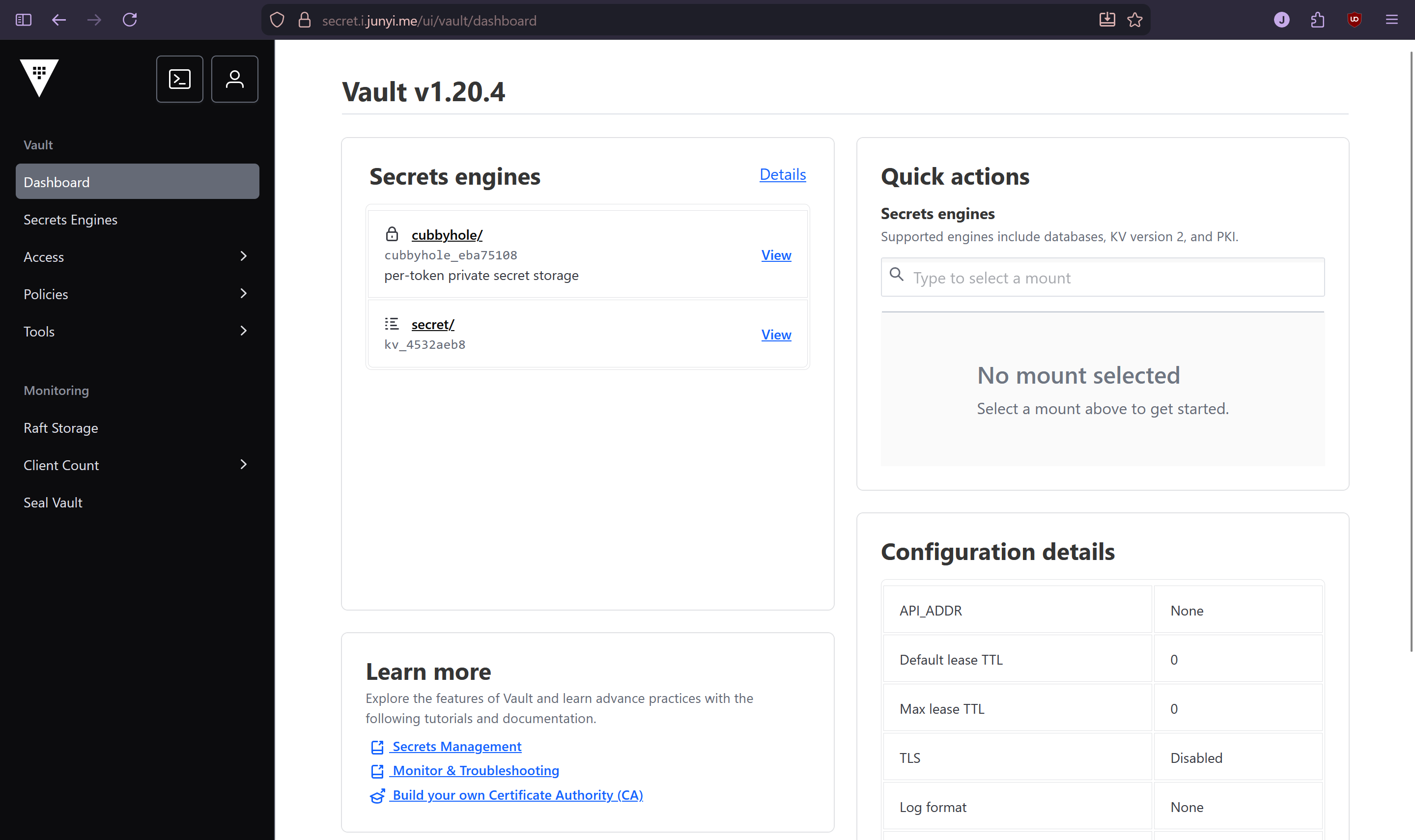
And it worked.
Empower the user
I wanted my user to be a superuser, so I created an admin policy with all the capabilities that Claude could think of:
vault policy write admin
 1
 2
 3
 4
 5
 6
 7
 8
 9
10
11
12
13
14
15
16
17
18
19
20
21
22
23
24
25
26
27
28
29
30
31
32
33
34
35
36
37
38
39
40
41
42
43
44
45
46
47
48
49
50
51
52
53
54
55
56
57
58
59
60
61
62
63
64
65
66
67
68
69
70
71
72
73
74
75
76
77
78
79
|
vault policy write admin - <<EOF
# Manage auth methods
path "auth/*" {
  capabilities = ["create", "read", "update", "delete", "list", "sudo"]
}

# Create and manage ACL policies
path "sys/policies/*" {
  capabilities = ["create", "read", "update", "delete", "list", "sudo"]
}

# List policies
path "sys/policy" {
  capabilities = ["read", "list"]
}

# Manage secrets engines
path "sys/mounts/*" {
  capabilities = ["create", "read", "update", "delete", "list", "sudo"]
}

# List secrets engines
path "sys/mounts" {
  capabilities = ["read", "list"]
}

# Manage tokens
path "auth/token/*" {
  capabilities = ["create", "read", "update", "delete", "list", "sudo"]
}

# Manage identity
path "identity/*" {
  capabilities = ["create", "read", "update", "delete", "list"]
}

# Read system health
path "sys/health" {
  capabilities = ["read", "sudo"]
}

# Manage leases
path "sys/leases/*" {
  capabilities = ["create", "read", "update", "delete", "list", "sudo"]
}

# Raft operations
path "sys/storage/raft/*" {
  capabilities = ["create", "read", "update", "delete", "list", "sudo"]
}

# Full access to all KV secrets
path "secret/*" {
  capabilities = ["create", "read", "update", "delete", "list"]
}

# Audit devices
path "sys/audit/*" {
  capabilities = ["create", "read", "update", "delete", "list", "sudo"]
}

# Seal/unseal
path "sys/seal" {
  capabilities = ["update", "sudo"]
}

path "sys/unseal" {
  capabilities = ["update", "sudo"]
}

path "sys/seal-status" {
  capabilities = ["read"]
}

# System backend
path "sys/*" {
  capabilities = ["create", "read", "update", "delete", "list", "sudo"]
}
EOF
|
Then I created an admin group
1
2
3
|
vault write identity/group name="admin" \
    policies="admin" \
    type="internal"
|
and added myself to it.
1
2
|
vault write identity/group/name/admin \
    member_entity_ids="[ENTITY_ID]"
|
The ENTITY_ID was found by logging into my new user, copying the token,

and then doing the following in the vault pod:
1
2
|
vault login [TOKEN]
vault token lookup
|
Deploy External Secrets Operator
To consume secrets from Vault in Kubernetes, I chose to deploy External Secrets Operator.
external-secret-operator.yml
 1
 2
 3
 4
 5
 6
 7
 8
 9
10
11
12
13
14
15
16
17
18
19
20
21
22
23
24
25
|
apiVersion: argoproj.io/v1alpha1
kind: Application
metadata:
  name: external-secrets-operator
  namespace: argocd
  annotations:
    notifications.argoproj.io/subscribe.slack: production
spec:
  destination:
    namespace: external-secrets
    server: https://kubernetes.default.svc
  project: default
  source:
    repoURL: https://charts.external-secrets.io/
    chart: external-secrets
    targetRevision: 1.2.0
    helm:
      valuesObject:
  syncPolicy:
    automated:
      prune: true
      selfHeal: true
    syncOptions:
      - CreateNamespace=true
      - ServerSideApply=true
|
The default helm values worked for me, but since the chart contains some large CRDs, I had to specify ServerSideApply=true in the sync options.
Putting everything together
Kubernetes secrets can be stored in Vault using the Key/Value v2 plugin. So first I created a secret directory in Vault:
1
2
3
|
kubectl exec -ti hashi-vault-0 -- sh
vault login [ROOT_TOKEN]
vault secrets enable -path=secret kv-v2
|
Then created the policy and role for External Secrets Operator to use:
 1
 2
 3
 4
 5
 6
 7
 8
 9
10
11
12
13
14
15
|
vault policy write k8s - <<EOF
path "secret/data/*" {
  capabilities = ["read", "list"]
}
path "secret/metadata/*" {
  capabilities = ["read", "list"]
}
EOF

vault write auth/kubernetes/role/k8s \
  bound_service_account_names=external-secrets-operator \
  bound_service_account_namespaces=external-secrets \
  policies=k8s \
  ttl=24h \
  audience="vault"
|
The external-secrets-operator service account is created by default when deploying the External Secrets Operator helm chart.
So the only thing left to do is to let External Secrets Operator know how to connect to Vault.
 1
 2
 3
 4
 5
 6
 7
 8
 9
10
11
12
13
14
15
16
17
18
19
|
apiVersion: external-secrets.io/v1
kind: ClusterSecretStore
metadata:
  name: vault
spec:
  provider:
    vault:
      server: "http://hashi-vault.hashi-vault.svc.cluster.local:8200"
      path: secret
      version: v2
      auth:
        kubernetes:
          mountPath: kubernetes
          role: k8s
          serviceAccountRef:
            name: external-secrets-operator
            namespace: external-secrets
            audiences:
              - vault
|
With this, the setup was ready to go.
Usage
To test everything was working, I created a test secret in Vault using the UI:
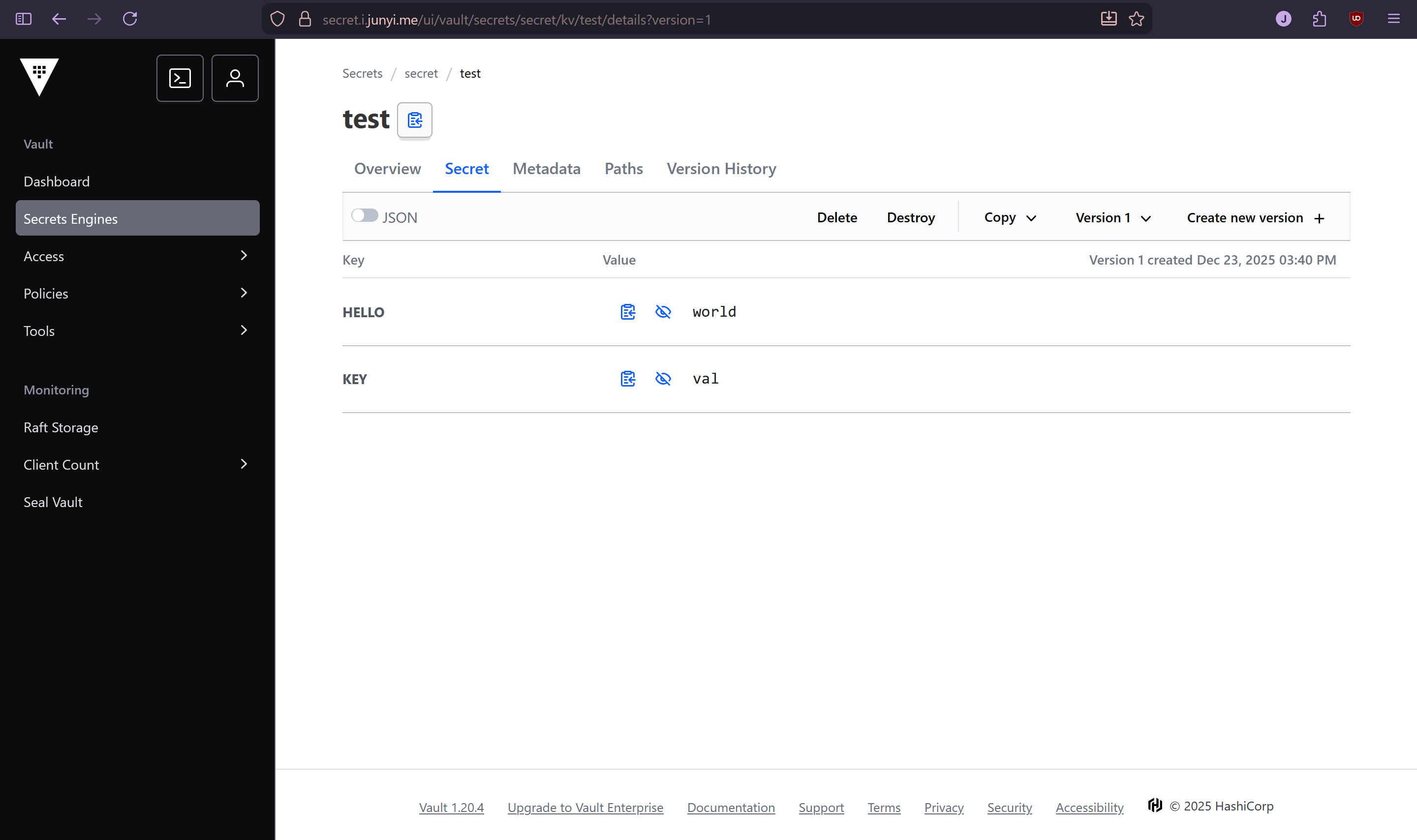
Then created an ExternalSecret resource in my test namespace, with a deployment that consumes it:
 1
 2
 3
 4
 5
 6
 7
 8
 9
10
11
12
13
14
15
16
17
18
19
20
21
22
23
24
25
26
27
28
29
30
31
32
33
34
35
36
37
38
39
|
apiVersion: external-secrets.io/v1
kind: ExternalSecret
metadata:
  name: external
  namespace: test
spec:
  secretStoreRef:
    name: vault
    kind: ClusterSecretStore
  target:
    name: external
  dataFrom:
    - extract:
        key: secret/test

---

apiVersion: apps/v1
kind: Deployment
metadata:
  name: vault-test
  namespace: test
spec:
  replicas: 1
  selector:
    matchLabels:
      app: vault-test
  template:
    metadata:
      labels:
        app: vault-test
    spec:
      containers:
        - name: debian
          image: debian:13
          command: ["/bin/sh", "-c", "sleep infinity"]
          envFrom:
            - secretRef:
                name: external
|
The secret was automatically created in the test namespace, and values were accessible in the pod:
1
2
3
4
5
|
jy:~❮ k exec -tin test vault-test-84d8566f86-bqmcw -- bash
root@vault-test-84d8566f86-bqmcw:/# echo $HELLO
world
root@vault-test-84d8566f86-bqmcw:/# echo $KEY
val
|