
A lot of my self-hosted services use PostgreSQL as their database. As the number of services grows, management and backup of those databases becomes a chore. As written in a previous post, I have set up pgAdmin to manage all PostgreSQL databases in a single place, and a Kubernetes Job to back up all databases at once.

However, that setup did not solve all issues. Namely, setting up a new DB was still a chore involving the following steps:
- Set up pvc and deployment for the new PostgreSQL database
- Add the new database to pgAdmin’s configmap
- Add it to the backup job’s configmap/secret
The configuration of backup job was highly manual. Each time a new DB was added, I risked misconfiguring or forgetting to add it to the backup job.
CloudnativePG
CloudnativePG is a Kubernetes operator for PostgreSQL. It makes it easy to set up and manage PostgreSQL clusters in Kubernetes, and it has built-in support for HA with automatic failover.
I thought if I migrate all of my DBs into it, I could use its built-in backup feature to back up all databases in a consistent way.
So my initial idea was to set up separate DB for each existing service in my cluster, and then migrate the data from the old DB to the new one. would have been the “production-ready” way to do things.
Looking at my resources in the cluster, however, I reckoned that running multiple CloudnativePG clusters would be too resource-intensive and definitely an overkill for my home lab. So instead, I decided to set up a single CloudnativePG cluster with multiple databases inside.
Environment
- Kubernetes cluster: v1.33.3+k3s1
- CloudnativePG: 1.27.0, installed via Helm chart 0.26.0
Installing CloudnativePG
CloudnativePG’s helm chart had a sensible set of defaults, so this was all the configs I needed:
cnpg.yaml
|
|
I set clusterWide to false to restrict CloudnativePG to the postgres namespace only, since I only plan to deploy my DBs in a single namespace.
Other options are for monitoring with Prometheus + Grafana.
Creating a PostgreSQL cluster
Then I proceeded to create a PostgreSQL cluster with the following manifest:
central.yml
|
|
This creates a PostgreSQL cluster named central with 3 instances, one primary and two replicas. Each instance has 10Gi of storage, 4 CPU and 8Gi of memory allocated.
I set max_connections to 400 to allow enough connections for all my services, and shared_buffers to 2Gi following the recommendation on the CNPG docs.
A reasonable starting value for shared_buffers is 25% of the memory in your system. For example: if your shared_buffers is 256 MB, then the recommended value for your container memory size is 1 GB, which means that within a pod all the containers will have a total of 1 GB memory that Kubernetes will always preserve, enabling our containers to work as expected. For more details, please refer to the “Resource Consumption” section in the PostgreSQL documentation.
So far, the suggested 25% of memory rule is working well for me.
Data migration
It’s time for data migration.
Exporting is easy. I just used pg_dump to dump the data from the old DB, like:
|
|
Then, for each database, I created a new database and user in the new CloudnativePG cluster:
|
|
Finally, import the data with psql:
|
|
I have to take some time to learn pg_dump -Fc and pg_restore to make the dump and restore process.
With the small databases I have currently, the plain text format works fine, but for larger databases, the compression and selective restore features of the custom format seems very useful.
Set up pgAdmin
For pgAdmin, I’m still using the same configuration pattern as before. Now I only need one database to connect to.
pg-servers.yaml
|
|
Backups
CloudnativePG has built-in support for backups, which is documented here. It seems very straightforward to set up with some kind of object storage like S3, GCS, or Azure Blob Storage.
For me, since I don’t have a object storage set up just yet, I resorted to setting up a custom k8s cronjob for that.
Since I already have a Ceph cluster, my plan here is to set up Ceph RGW as an S3-compatible object storage service.
The following secret holds the connection information to the database. It uses the central-ro service created by CloudnativePG to connect to a read-only replica.
secret.yaml
|
|
The cronjob itself looks like this:
cronjob.yaml
|
|
This cronjob runs every day at 2am, and does the following:
- Scan for all databases in the cluster
- Dump each database into a separate SQL file
- Dump global objects (roles, tablespaces, etc.) into a separate SQL file
- Create another SQL file with all databases dumped in one file
- Tar and compress all SQL files into a single archive
- Store the archive in a PVC
The advantage of this over the previous setup is that it automatically scans for all databases, so I don’t have to manually add new databases to the backup job. It also stores compressed dump files in a single archive, making it easier to manage.
Again, the pg_dump -Fc and pg_restore combo seems useful here.
Or if I properly set up Ceph RGW, maybe this cronjob can be ditched altogether.
Connection
The connection string for the new database looks like this:
|
|
from inside the cluster.
Monitoring
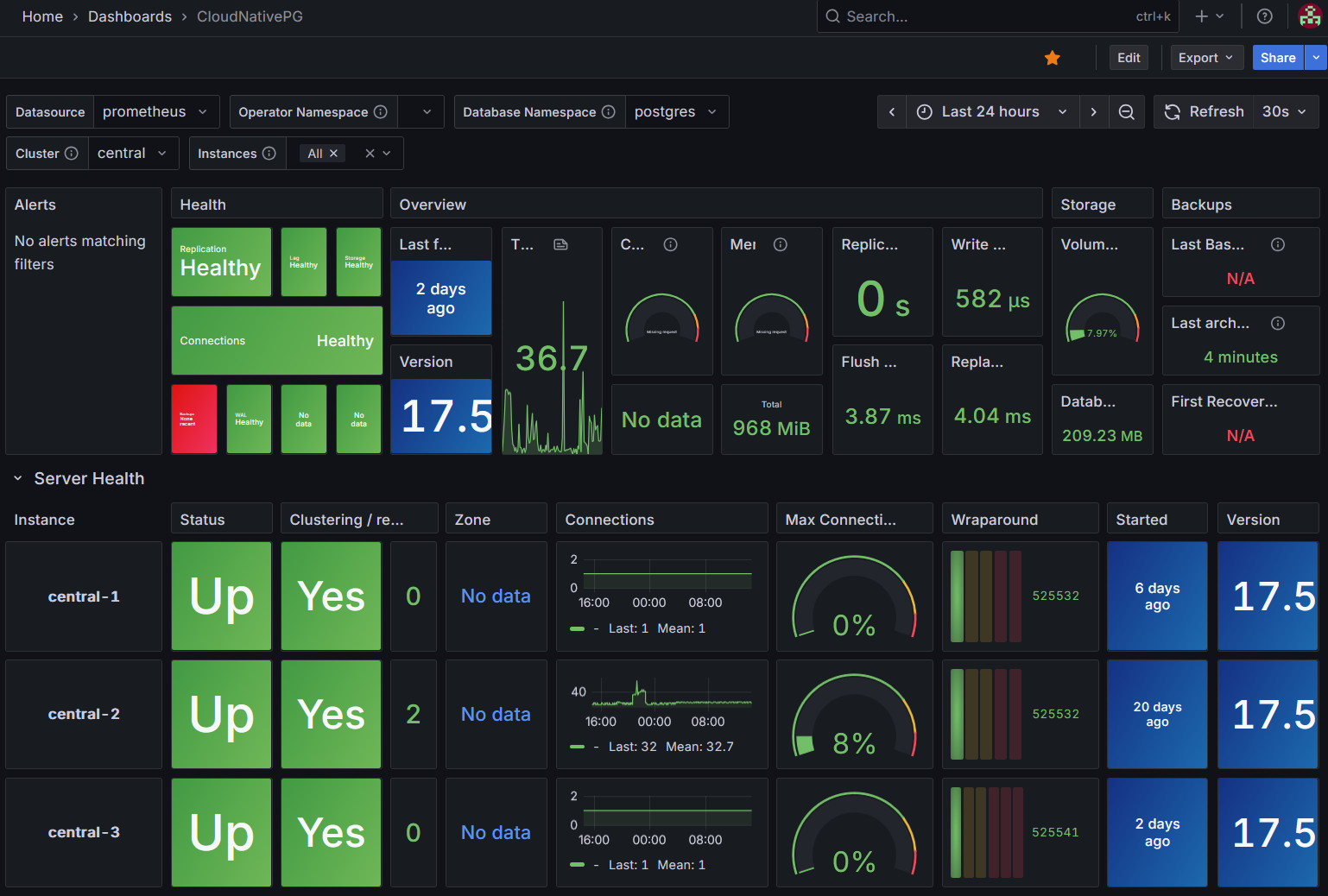
For monitoring, I just needed to follow the instructions on offical docs to set up a dashboard in Grafana. The rest was already taken care of by the operator.
Conclusion
I have left this setup running for a few weeks now, and so far, DB connections seems stable, and backups are done successfully every day.
There are things I look forward to improving in the future:
- Set up Ceph RGW for CNPG’s built-in backup feature
- Figure out connection pooling with PgBouncer - I’ve tried it once, but couldn’t resolve a permission issue.
- Set up separate clusters for larger production databases - only after the backup is done properly