
Having a home lab and doing some self-hosting as a hobby, casual questions like “what do you do in the weekends?” would often accompany a follow-up question like “what exactly do you do with your servers?”.
Sure, I could verbally go into the nitty gritty and that’s usually what I do, but sometimes I just wish there was somehting that could do the story telling for me.
That led met to remember that homepage I deployed a while ago, which is a neat little dashboard webpage that shows an overview of my self-hosted services. This homepage has helped me a lot getting around my home network, and I thought I could also use it to give people a quick tour of my home lab.
However, as a fairly experienced internet user, I knew better than just exposing my homepage to the internet without any protection. Although homepage itself doesn’t have any sensitive information, it gives away some information about my internal network structure, which could be exploited by some master-level hackers wielding some black cyber magic.
Environment
- Kubernetes cluster: v1.33.3+k3s1
- Traefik: helm.sh/chart=traefik-34.2.1_up34.2.0
- Authentik: helm.sh/chart=authentik-2025.8.1
The idea
Therefore, to minimize the attack surface, I decided to put Authentik in front of my homepage, which is already used to protect several other services in my home lab.
This has several advantages I can think of:
- Exposing a security-focused service like Authentik to the internet instead of a service not specialized in security.
- The ability to use the same instance of Authentik for multiple services in my cluster, making management easier.
- No modification to homepage itself is needed. Homepage does its dashboarding, while Authentik does its authentication. Separation of concerns.
In order to achieve this, the simplest (per my research) architecture is the following:
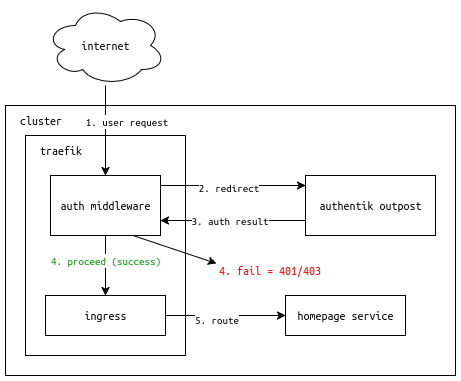
- User request hits traefik, which is configured to use a middleware to authenticate the user with Authentik.
- Traefik redirects the user to Authentik for authentication.
- If unsuccessful, traefik drops the request.
- If successful, traefik proceeds to handle the request like for a normal, unprotected ingress.
- User is routed to the homepage service.
Setting up the Authentik outpost
For Authentik to work with traefik, the first step is to set up an outpost in Authentik. An outpost is like a gateway that allows external services to communicate with Authentik.
In the applications tab, click on “Create with Provider”, and give it a name and a slug.

For the provider, choose “Proxy Provider”.
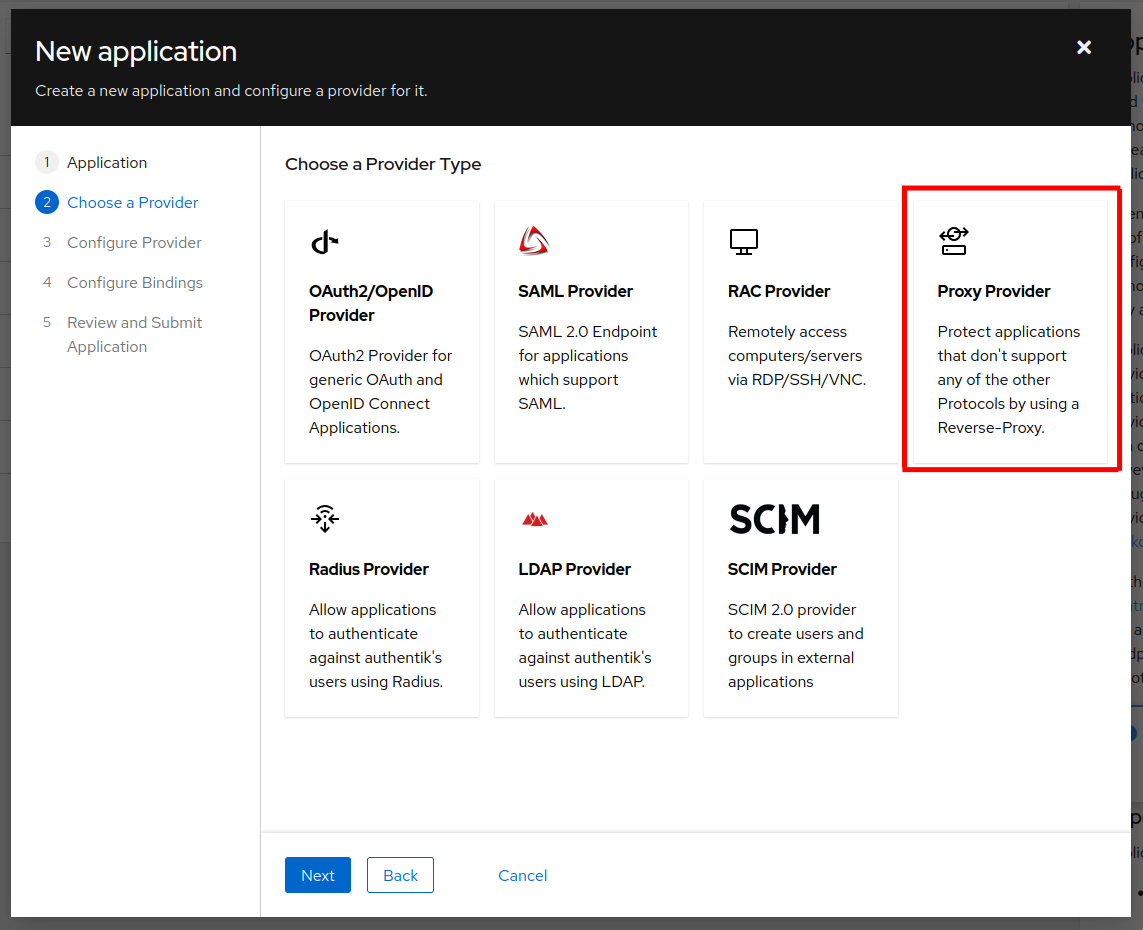
For proxy provider’s configuration, choose an explicit authorization flow (I’m using the default one), and select “Forward auth”. The “external host” should contain the hostname of your application that you want to protect, in this case, homepage.

Then specify some access policies, and save the application. A new outpost should appear as a service in the namespace where Authentik is deployed.
|
|
In my environment, Authentik also automatically deployed a middleware, which can be directly used in traefik ingresses.
|
|
Using the middleware in traefik
To use the middleware for an ingress, simply add the following annotation to the ingress manifest:
|
|
In my case, I applied it to the homepage ingress:
expose-homepage.yml
1
2
3
4
5
6
7
8
9
10
11
12
13
14
15
16
17
18
19
20
21
22
23
apiVersion: networking.k8s.io/v1
kind: Ingress
metadata:
  name: homepage
  annotations:
    traefik.ingress.kubernetes.io/router.middlewares: auth-ak-outpost-homepage@kubernetescrd
spec:
  ingressClassName: traefik
  rules:
    - host: home.junyi.me
      http:
        paths:
        - path: /
          pathType: Prefix
          backend:
            service:
              name: homepage
              port:
                number: 3000
  tls:
    - hosts:
      - "*.junyi.me"
      secretName: junyi-me-production
TLS config (Edit: 2025-09-22)
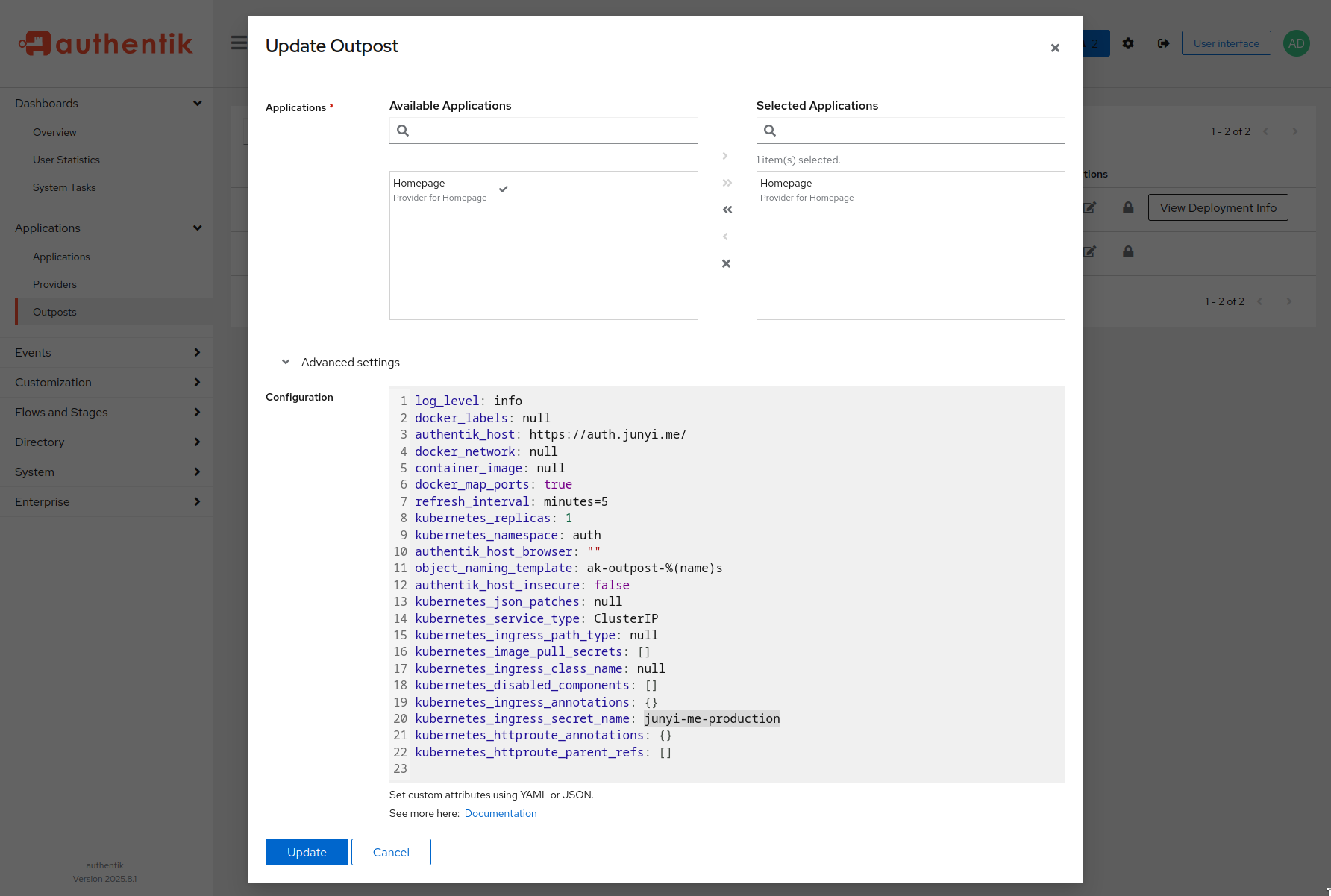
Several days after deploying this setup, I noticed an error log in my traefik pod:
2025-09-22T09:17:06-06:00 traefik-75d4fc5bc8-5msfv traefik 2025-09-22T15:17:06Z ERR Error configuring TLS error=“secret auth/authentik-outpost-tls does not exist” ingress=ak-outpost-homepage namespace=auth providerName=kubernetes
This was due to a misconfigured secret name in the outpost. I had a secret named junyi-me-production but didn’t change the default secret name in the outpost config.
cert.yml
|
|
The option was hidden in the “Advanced” section of the outpost configuration page:
Done!
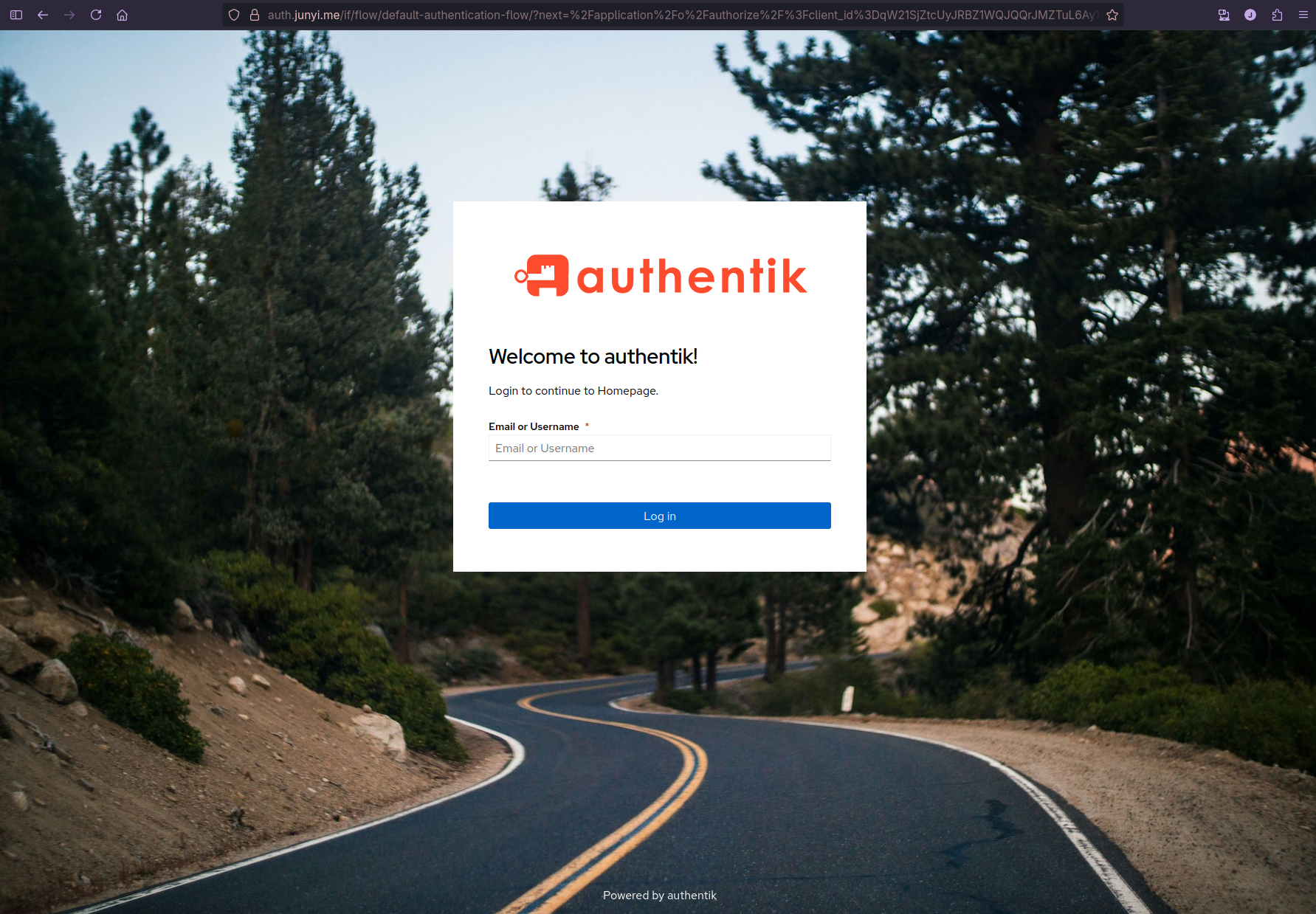
Now when I access my homepage at https://home.junyi.me/, I first get redirected to Authentik for authentication.
After logging in…
