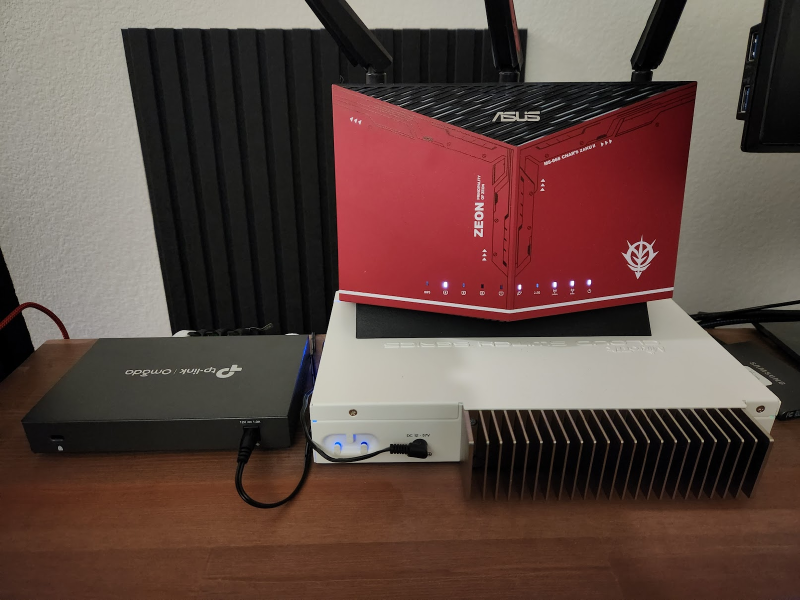
My old gaming router is now 4 years old, and I began noticing some hiccups in my WiFi connectivity and outbound internet connections.
Since WiFi connectivity was less of a concern for me, I decided to introduce a ethernet-only router to take over the routing duties. The old router would be repurposed as a WiFi access point.
Environment
- Old router: ASUS RT-AX86U ZAKU II EDITION - connects WAN, switch, my desktop, and devices that use WiFi
- Switch: Mikrotik CRS309-1G-8S+in - connects all my proxmox servers
- New router: TP-Link ER605
Plan
I wanted to do the switchover with minimal downtime, so here was my plan:
- Power on ER605 with a single ethernet connection to my desktop
- Configure ER605 with the same LAN IP as RT-AX86U
- Configure DHCP and port forwarding on ER605 exactly as the old one
- Disconnect the old router and connect ER605 to the modem
Since the new router would have the same LAN IP as the old one, and the same DHCP rules, all devices in the network should not require any reconfiguration, except for my desktop during the initial setup.
I didn’t know this beforehand, but modem needed to be restarted after switching routers. Otherwise, the modem would not assign a public IP to the new router, causing the new router to not link up.
Setting up ER605
Accessing the ER605 web interface was straightforward. I plugged in power for the router, and connected it to my desktop with an ethernet cable. Then all I had to do was enable DHCP and go to http://192.168.0.1.
Since I’m usually using static IP, I wanted to keep a backup of that configuration.
|
|
In the web interface, I changed the default network as follows under Network -> Lan, edit default network:
- LAN IP:
10.0.0.1- same as old router - DHCP: enabled, range
10.0.0.2 - 10.0.68.255- anything above will be static IPs - DNS:
10.0.69.253(bind9 service on k8s) as primary and1.1.1.1as secondary

Next I made sure to copy over all port forwarding rules from the old router under Transmission -> NAT -> Virtual Servers.
That was all the configuration I needed to do on ER605, so I rebooted it and restored my desktop’s static IP configuration.
|
|
I got the original IP back, so I moved on.
Switchover
The switchover was simple:
- Disconnect ethernet from RT-AX86U to modem
- Connect ethernet from ER605 to modem
- Connect switch to ER605
- Power cycle the modem
- Obtain a public IP on ER605 through the
Quick Setuppage
I didn’t know that the modem needed to be power cycled, so I wasted a few minutes trying to figure out why ER605 was not getting a public IP.
But after the modem rebooted, ER605 obtained a public IP and internet connectivity was restored for all devices in the network.
Repurposing RT-AX86U
To restore WiFi, all I had to do was connect RT-AX86U’s LAN port to the switch, and set up RT-AX86U as an access point.

Conclusion
After the switchover, both my wired internet connectivity and WiFi has regained its speed and stability.
There are two things I want to explore in the future:
- VLANs to separate IoT devices and guest devices from my main network
- Something like CARP or VRRP for redundancy (once I get a secondary ISP, and set up virtualized routers)