
I have been using Authentik heavily to manage authentication for my self-hosted services to centralize user management. It has made my experience a lot better jumping across different services, as I only have to sign in once to access everything.


There was, however, one thing that had been bothering me for a while. Whenever I created an application in Authentik, I always used the Authentik’s default self-signed certificate for the signing key.
According to my research, this isn’t a security risk since key exchanges already happen in HTTPS ensuring authenticity of the keys. However, it lacks an important feature: automatic renewal. I want my Authentik applications to be something that I can “set-and-forget”, not something that I have to baby-sit.
A high-level overview of disadvantages of using self-signed certificates in Authentik given by Claude:
- Manual renewal burden - no automation like Let’s Encrypt
- Audit/compliance flags - auditors may require proper CA certificates
- Edge case integration failures - very strict applications might reject
- Operational overhead - tracking expiration, manual certificate management
The only disadvantage I’m concerned about here is the first one.
Then I learned in the Authentik docs that it was possible to use custom certificates for Authentik.
Claude also told me that SSL certs generated by cert-manager can be used in Authentik. This way, I can have cert-manager handle the certificate issuance and renewal, while Authentik can use the certs without any manual intervention.
Environment
- Kubernetes cluster: v1.33.3+k3s1
- Authentik: 2025.8.1, installed via Helm chart 2025.8.1
- cert-manager: v1.18.0, installed via Helm chart v1.18.0
Make certificate available to Authentik
Authentik docs explains how to use custom certificates in Authentik:
- Kubernetes: You can mount custom Secrets or Volumes under /certs and configure them in the worker Pod specification.
authentik checks for new or changed files every hour and automatically triggers an outpost refresh when changes are detected.
|
|
Use certificate in Authentik
The certificates should now show up on the “Certificate-Key Pairs” page in Authentik’s admin console.
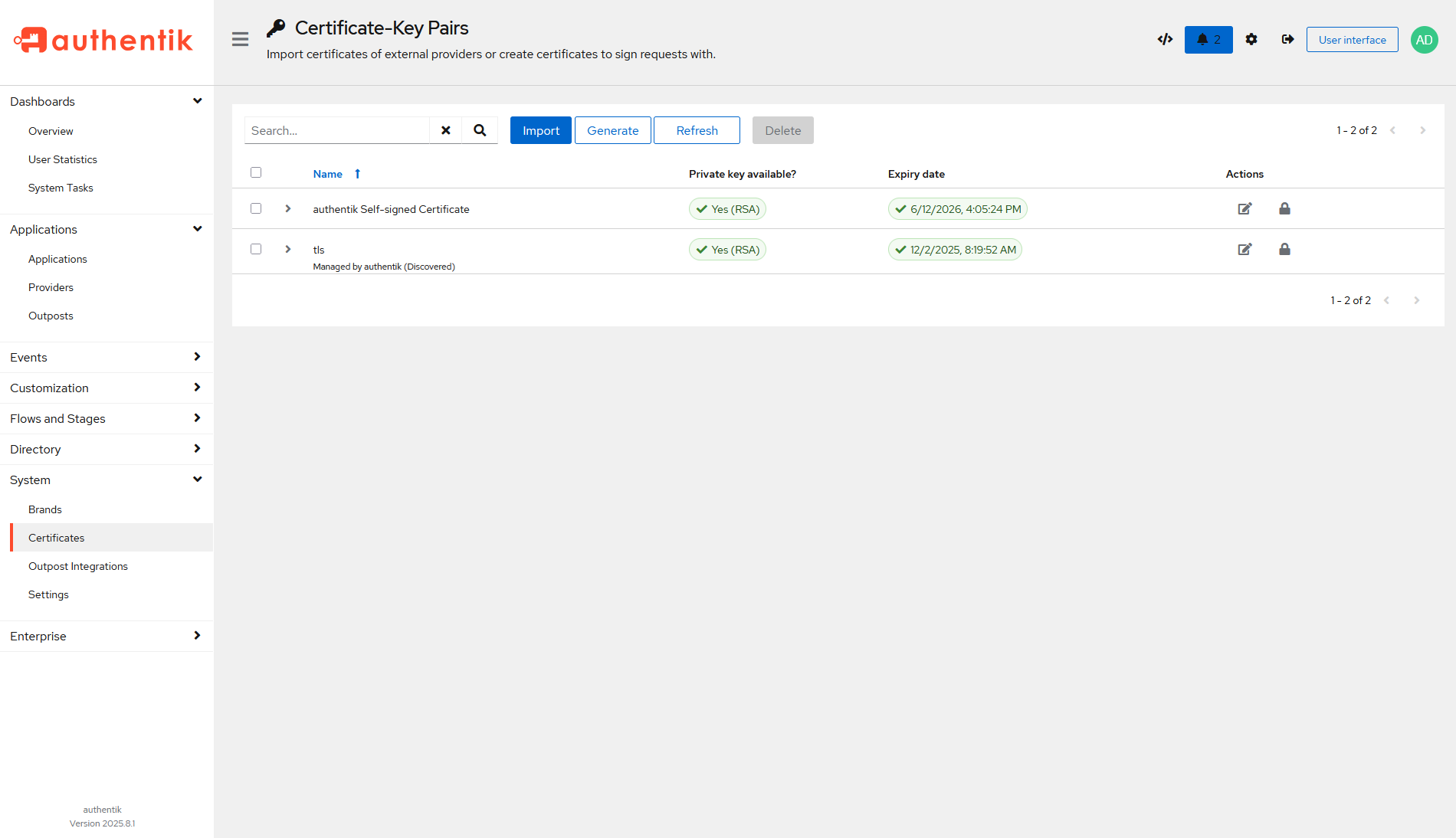
Now it can be used in any Authentik application. Go to any provider, and the signing key should be selectable.

Conclusion
I have observed that the certificate got automatically renewed by cert-manager, and Authentik’s certification page also showed the updated expiration date.