Until recently I had been using a Wireguard VPN server running on my router for remote access to my home network. I decided to move the VPN server to my Kubernetes to
- Free my router from the burden of running the VPN server
- Enable automatic failover (although currently the router is still SPOF for internet access)
Since my router is not particularly powerful and there is a lot of network traffic going on in my home network, I wanted to run as little workload on it as possible.
By running VPN server separately from the router, there is the additional benefit of future-proofing. If I decide to change my router configuration, the VPN server would not be affected at all as long as the new router forwards VPN traffic correctly.
Environment
- Router: TP-Link ER605
- Kubernetes: v1.33.4+k3s1
- ArgoCD: v3.0.6
- Wireguard: linuxserver/wireguard:1.0.20250521 (to be set up)
Kubernetes Deployment
For container image, I decided to use the popular linuxserver/wireguard image. It is well maintained and has rich configuration options through environment variables.
deployment.yml
 1
 2
 3
 4
 5
 6
 7
 8
 9
10
11
12
13
14
15
16
17
18
19
20
21
22
23
24
25
26
27
28
29
30
31
32
33
34
35
36
37
38
39
40
41
42
43
44
45
46
47
48
49
50
51
52
53
|
apiVersion: apps/v1
kind: Deployment
metadata:
  name: wireguard
  namespace: vpn
spec:
  replicas: 1
  selector:
    matchLabels:
      app: wireguard
  template:
    metadata:
      labels:
        app: wireguard
    spec:
      containers:
      - name: wireguard
        image: linuxserver/wireguard:1.0.20250521
        securityContext:
          capabilities: # required for wireguard to function properly
            add:
            - NET_ADMIN
            - SYS_MODULE
          privileged: true
        env:
        - name: PUID
          value: "1000"
        - name: PGID
          value: "1000"
        - name: TZ
          value: "America/Denver"
        - name: SERVERURL
          value: "junyi.me"
        - name: SERVERPORT
          value: "51234" # port to be exposed on router
        - name: PEERS
          value: "1"
        - name: PEERDNS
          value: "10.0.69.253"
        - name: INTERNAL_SUBNET
          value: "10.0.100.0"
        - name: ALLOWEDIPS
          value: "10.0.0.0/16"
        ports:
        - containerPort: 51820
          protocol: UDP
        volumeMounts:
        - name: wireguard-config
          mountPath: /config
      volumes:
      - name: wireguard-config
        persistentVolumeClaim:
          claimName: wireguard-config
|
The SERVERURL and SERVERPORT environment variables should match the router’s public IP / hostname and the exposed port respectively.
SERVERURL and SERVERPORT are used by wireguard to generate client config files, which means they are used for incoming connections. Therefore they must be publicly accessible.
service.yml
 1
 2
 3
 4
 5
 6
 7
 8
 9
10
11
12
13
14
|
apiVersion: v1
kind: Service
metadata:
  name: wireguard
  namespace: vpn
spec:
  type: LoadBalancer
  ports:
  - port: 51234 # port that router forwards to
    targetPort: 51820
    protocol: UDP
  selector:
    app: wireguard
  loadBalancerIP: 10.0.69.238
|
For storage, I decided to use CephFS because
- It allows RWX access mode, which allows faster failover
- It’s easier to copy files like client config
cert.yml
 1
 2
 3
 4
 5
 6
 7
 8
 9
10
11
12
13
14
15
16
17
18
19
20
21
22
23
24
25
26
27
28
29
30
31
32
33
34
35
36
37
38
39
40
41
|
apiVersion: v1
kind: PersistentVolume
metadata:
  name: wireguard-config
  namespace: vpn
spec:
  storageClassName: cephfs-sdvault-sc
  accessModes:
  - ReadWriteMany
  capacity:
    storage: 1Gi
  csi:
    driver: cephfs.csi.ceph.com
    nodeStageSecretRef:
      name: csi-cephfs-secret
      namespace: ceph-csi-cephfs
    volumeAttributes:
      "fsName": "sdvault"
      "clusterID": "[redacted]"
      "staticVolume": "true"
      "rootPath": /wireguard
    volumeHandle: wireguard-config
  persistentVolumeReclaimPolicy: Retain
  volumeMode: Filesystem

---

apiVersion: v1
kind: PersistentVolumeClaim
metadata:
  name: wireguard-config
  namespace: vpn
spec:
  accessModes:
  - ReadWriteMany
  resources:
    requests:
      storage: 1Gi
  storageClassName: cephfs-sdvault-sc
  volumeMode: Filesystem
  volumeName: wireguard-config
|
Testing
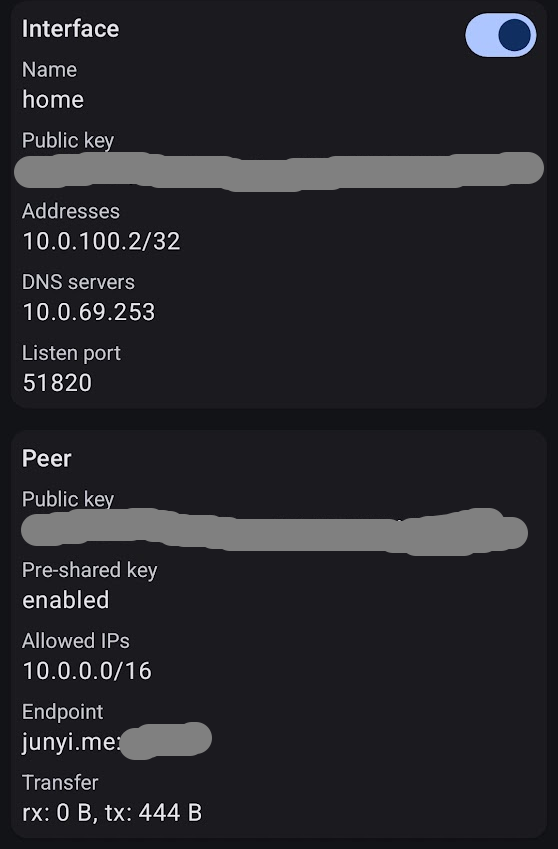
After running kubectl apply -f to spin up wireguard, I used my phone to test the VPN connection.
The client config was in
1
|
/config/peer1/peer1.conf
|
and QR code was in
1
|
/config/wireguard/peer1/peer1.png
|
On the Wireguard app on my phone, I scanned the QR code and connected to the VPN. Worked like a champ.
ArgoCD application
The last step was to set up ArgoCD application.
argocd-wireguard.yml
 1
 2
 3
 4
 5
 6
 7
 8
 9
10
11
12
13
14
15
16
17
18
19
20
|
apiVersion: argoproj.io/v1alpha1
kind: Application
metadata:
  name: vpn-server
  namespace: argocd
  annotations:
    notifications.argoproj.io/subscribe.slack: production
spec:
  destination:
    namespace: network
    server: https://kubernetes.default.svc
  project: default
  source:
    path: kube/vpn
    repoURL: git@git.junyi.me:home/homelab.git
    targetRevision: master
  syncPolicy:
    automated:
      prune: true
      selfHeal: true
|
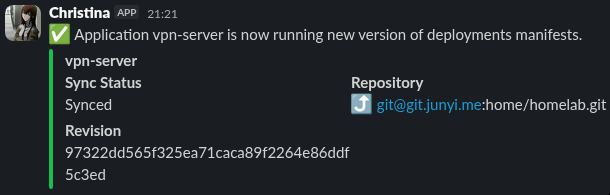
I pushed the changes, and handed the management responsibility to ArgoCD.